AID OF
SAIPA
Designing Saipa’s roadside assistance experience across customers and field providers.
Saipa Roadside Assistance sits within the service ecosystem of SAIPA, one of Iran’s major automotive groups. I worked on the client project at Behpardaz Jahan, designing across both sides of the digital service: the customer requesting help and the field provider managing that request on the road.
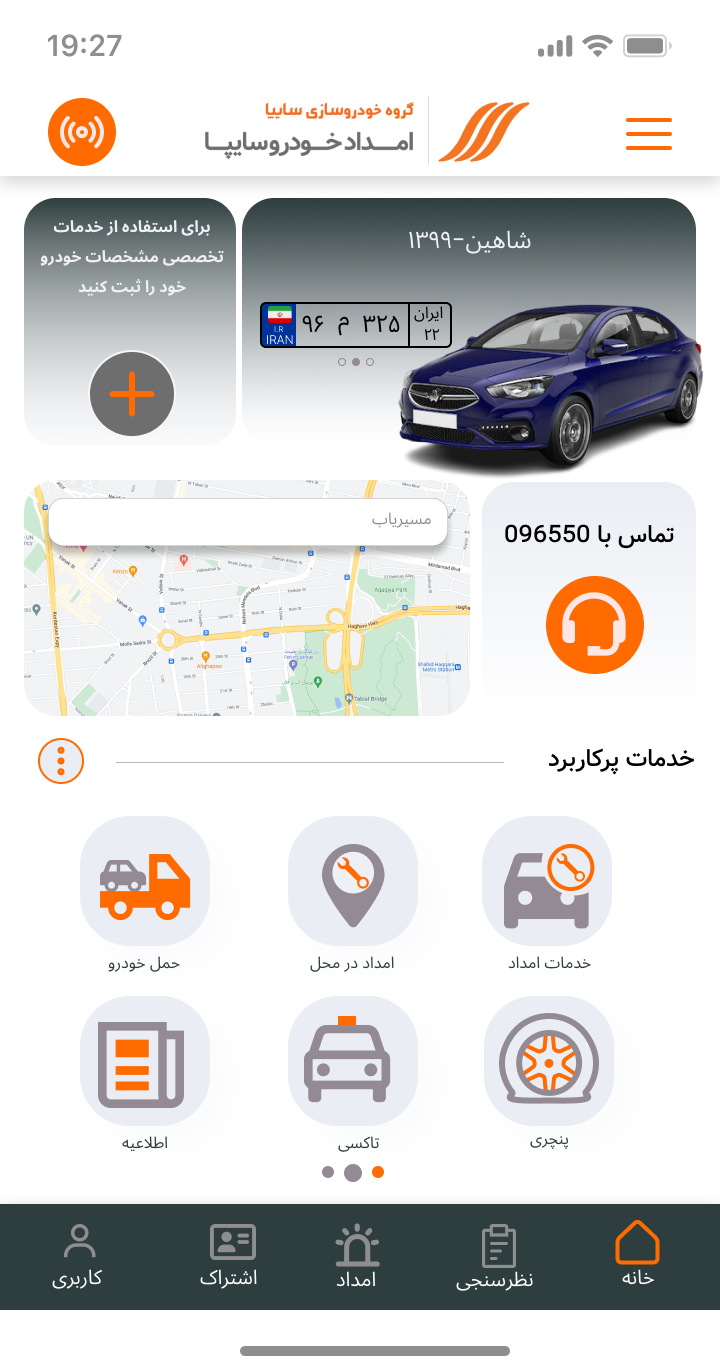
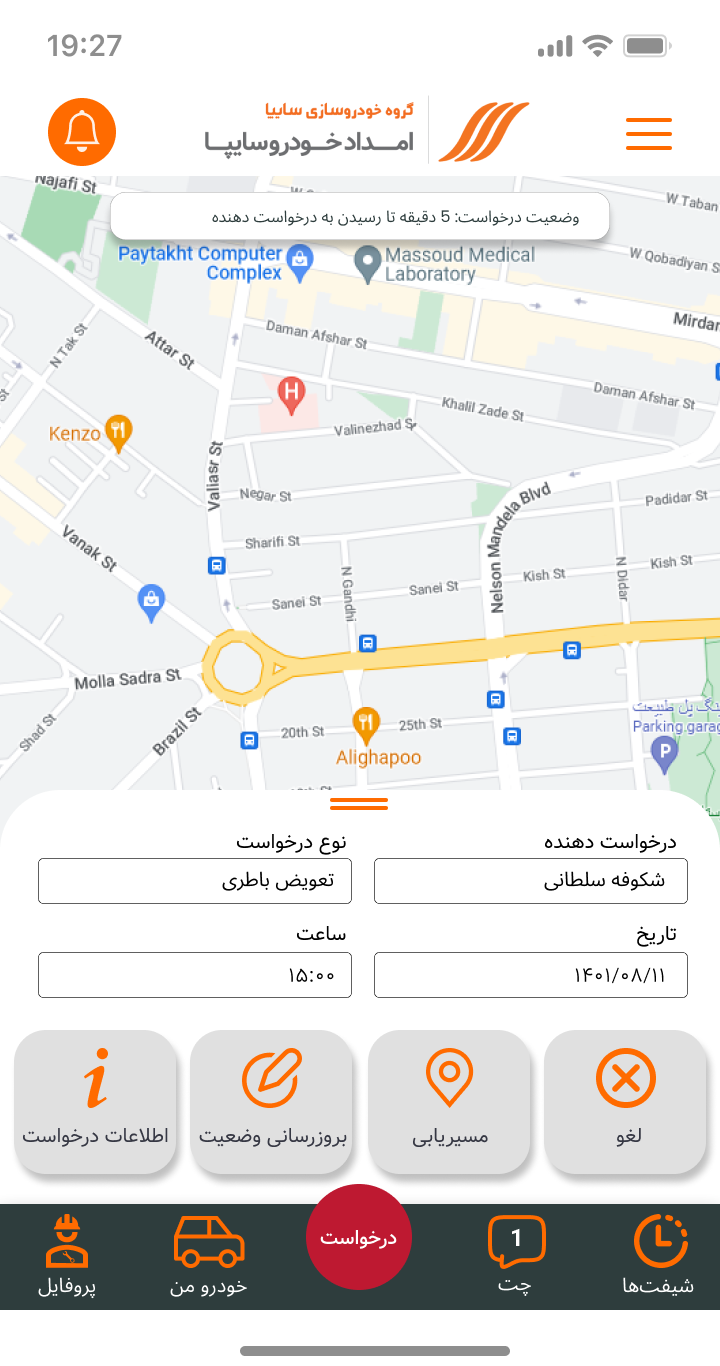
One roadside request moved through two experiences.
The product connected a customer-facing journey with the operational workspace of the people delivering assistance in the field.
- Choose assistance
- Share location
- Provide request details
- Follow the request
- Request created
- Location communicated
- Job state changes
- Service progresses
- See the request
- Review location
- Navigate
- Manage job status
Designing across both sides of the service.
I worked on the UX and UI of the customer and service-provider experiences, translating service requirements into flows and interfaces across the roadside-assistance journey.
Requesting assistance
Assistance requests · location · vehicle information · request status · supporting services
Managing active work
Request information · location & navigation · job states · availability · operational actions
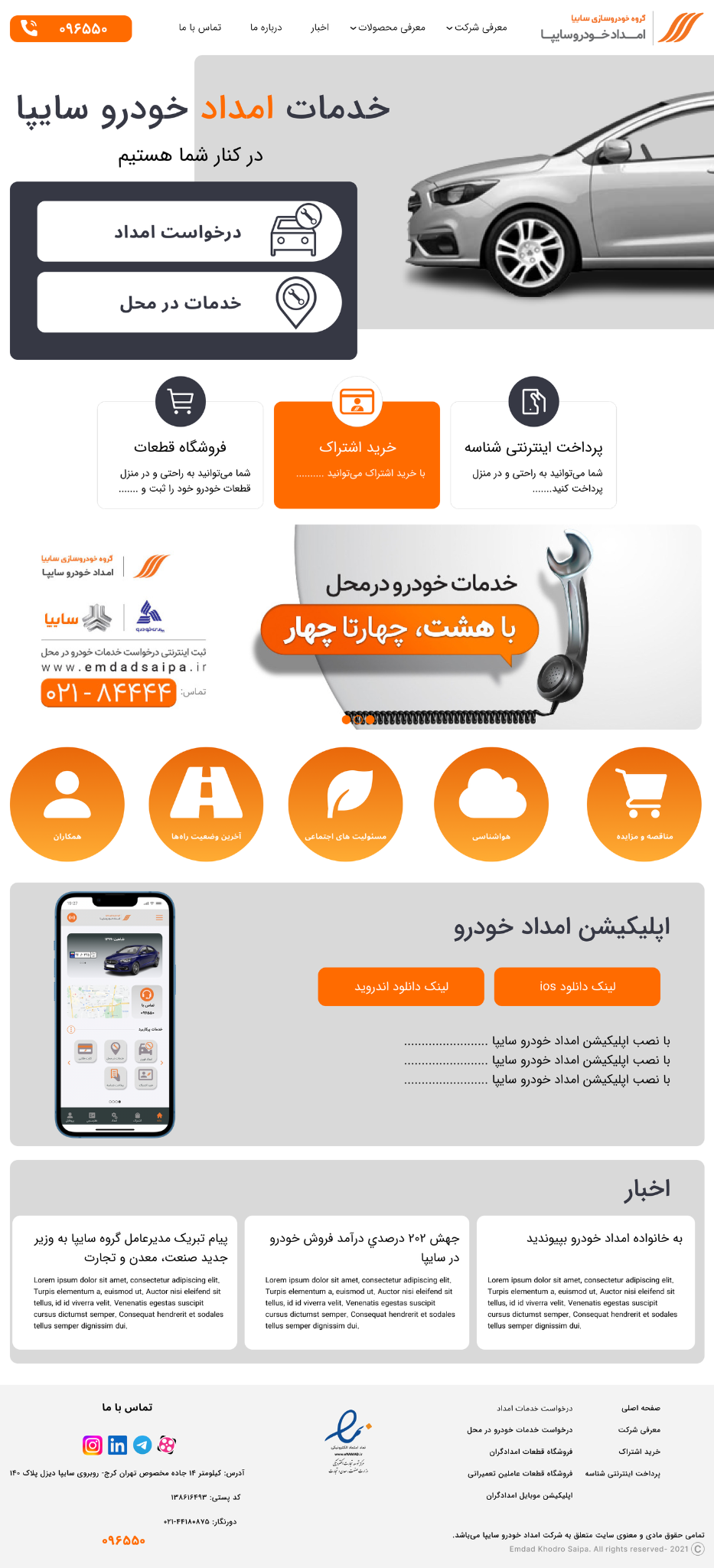
A supporting web experience extended the service beyond mobile.
The service also included a desktop web experience focused on information, service access and supporting customer tasks alongside the mobile product.
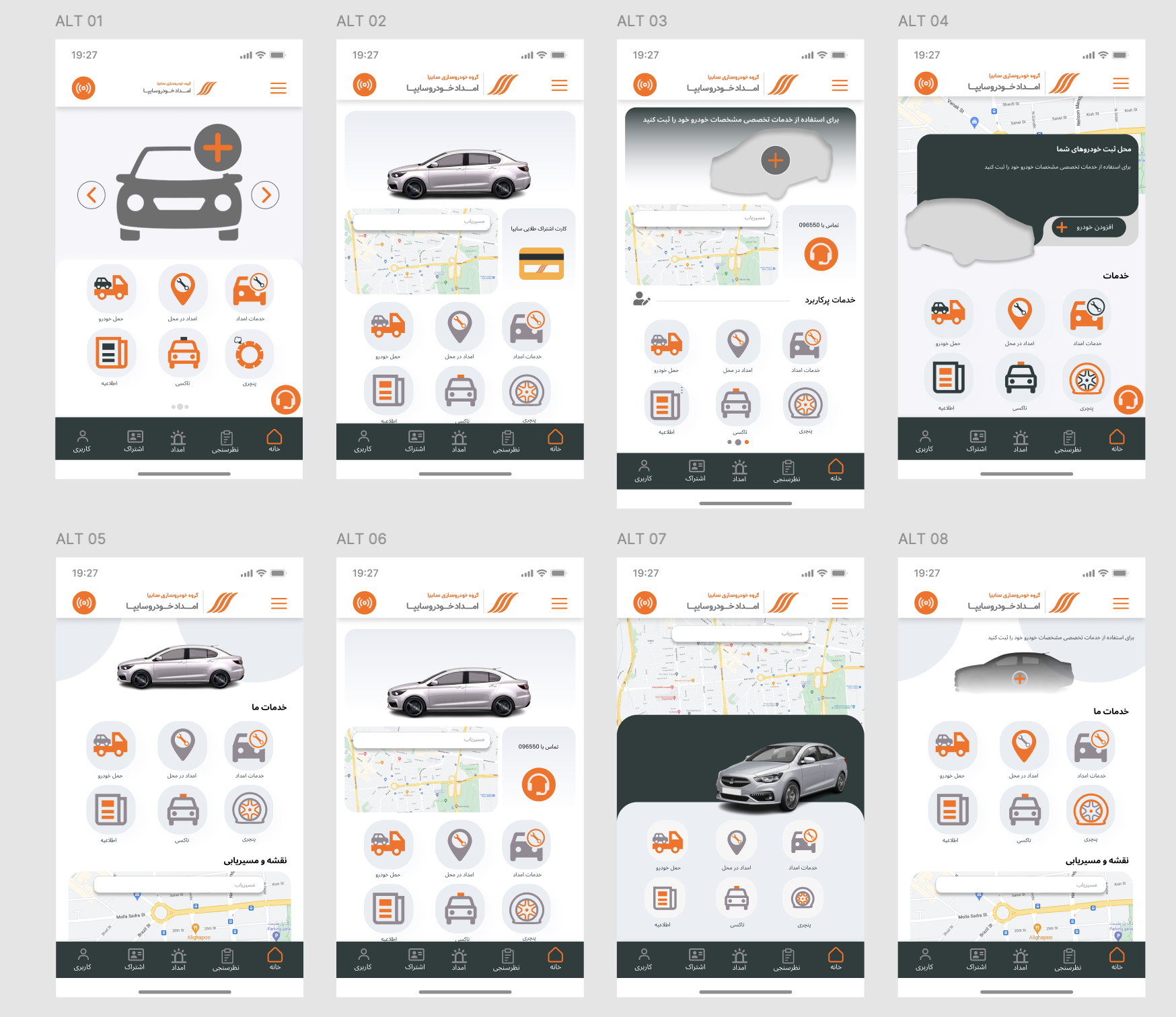
The home experience went through multiple directions.
I explored different ways of balancing vehicle information, location, service access and the primary assistance action before arriving at the final structure.
From needing help to sending a request.
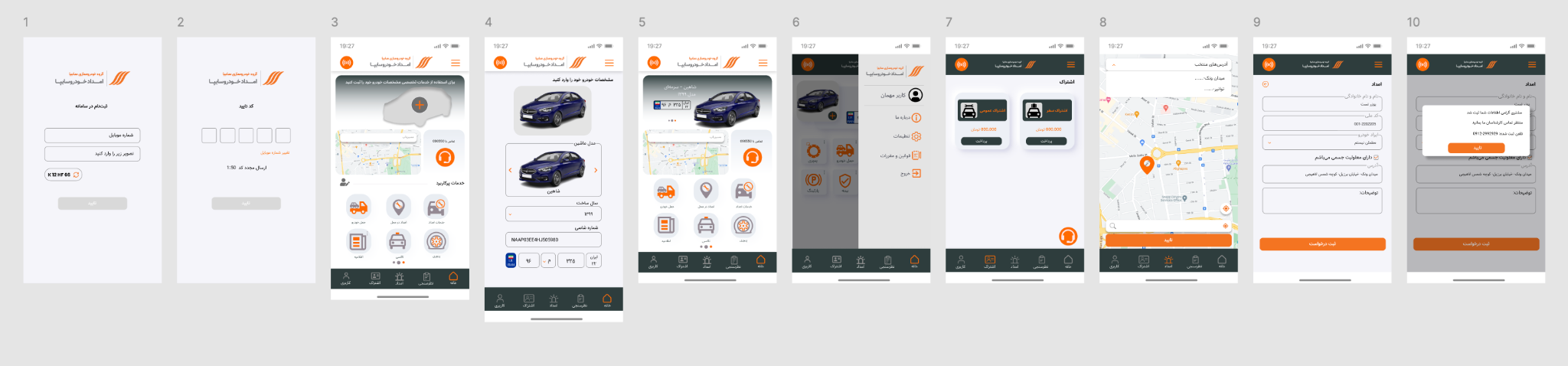
The customer experience moved key parts of roadside assistance into a digital journey: choosing the service, communicating location and providing the information needed to send the request.
The home screen brought the vehicle, location and assistance services into one place.
The interface was designed for the Iranian market and kept in its original Persian RTL form here rather than being recreated in English for the portfolio.
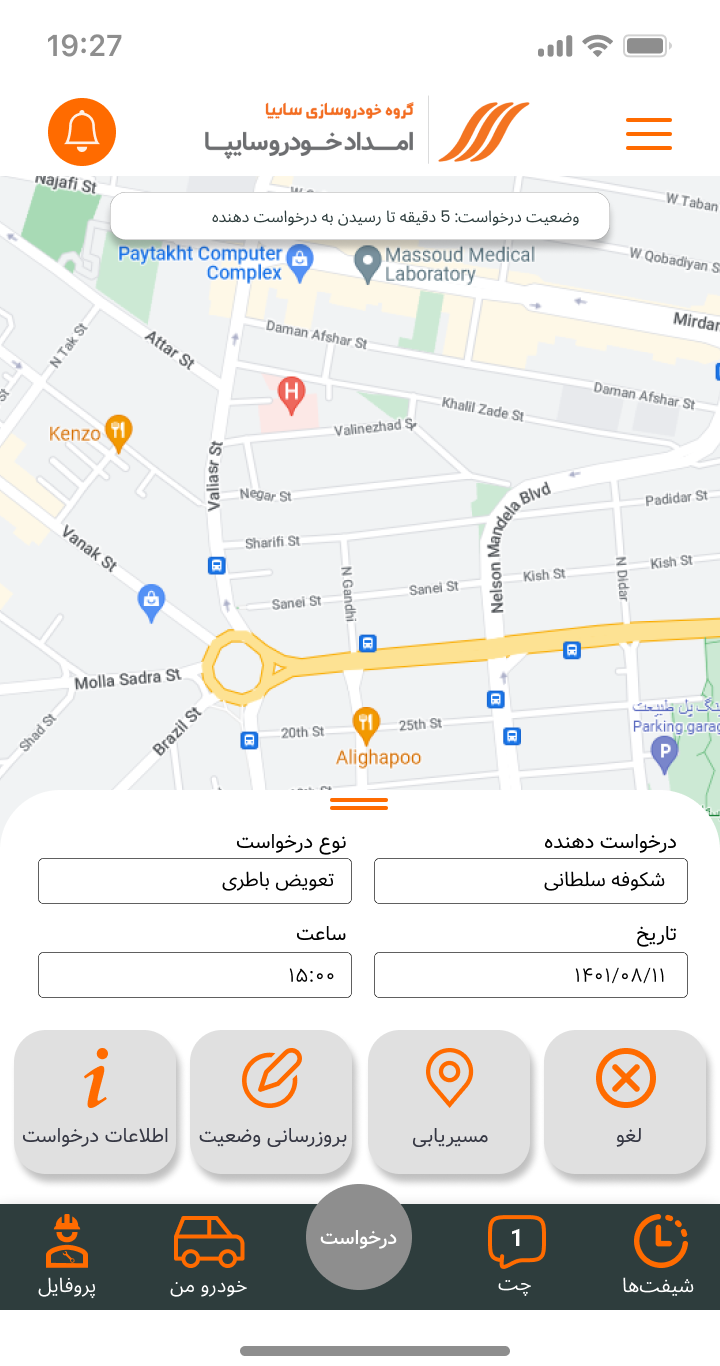
The request stayed manageable after submission.
Customers could return to an existing request instead of starting again, with access to its details, current status and cancellation when needed.
Managing the job beyond a single screen.
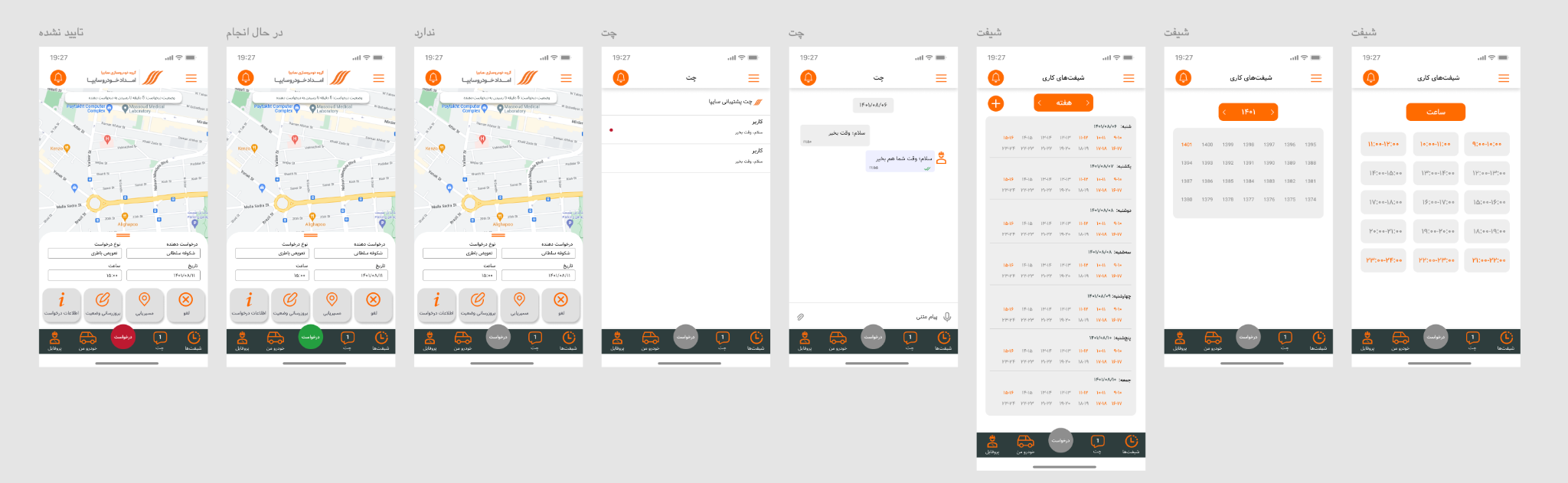
The provider experience combined active roadside requests with the operational tools needed around them, including communication and shift availability.
One workspace, three job states.
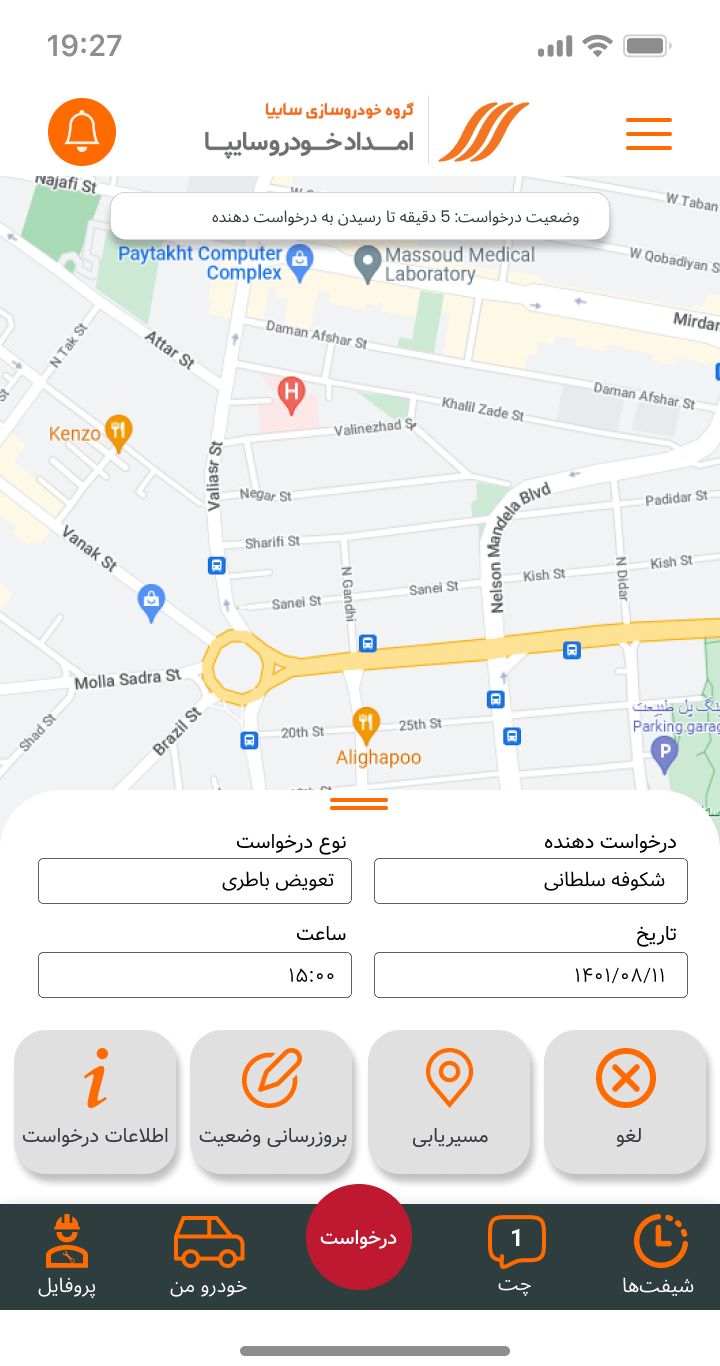
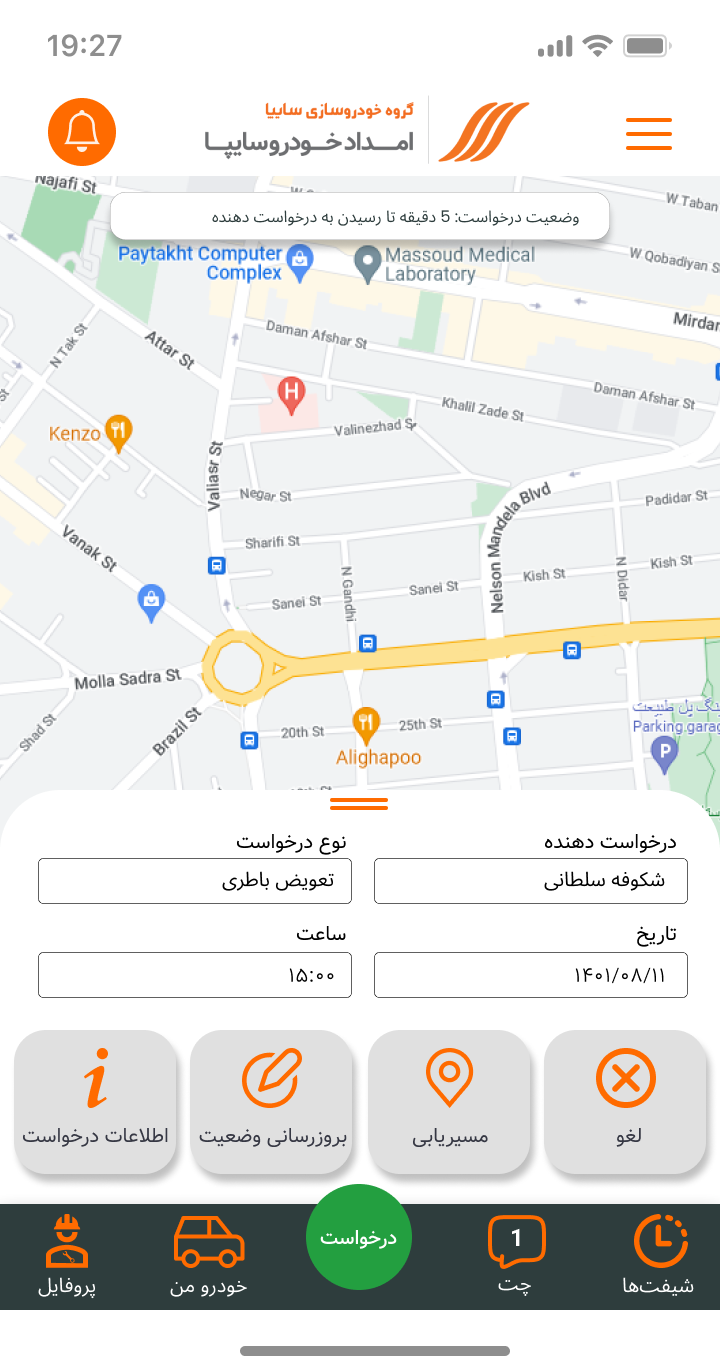
The request control changes with the current job state: red before confirmation, green while the job is in progress, and grey when there is no active request.
Some services needed their own symbols.
Alongside standard library icons, I designed and customised selected service-specific icons for roadside-assistance actions that needed clearer, more recognisable representation.


From Figma to a public product.
The work shipped as part of Saipa Roadside Assistance’s digital service. Store listings captured after release provide public evidence of the product’s reach.
Platform listing counts shown separately — not combined unique users.
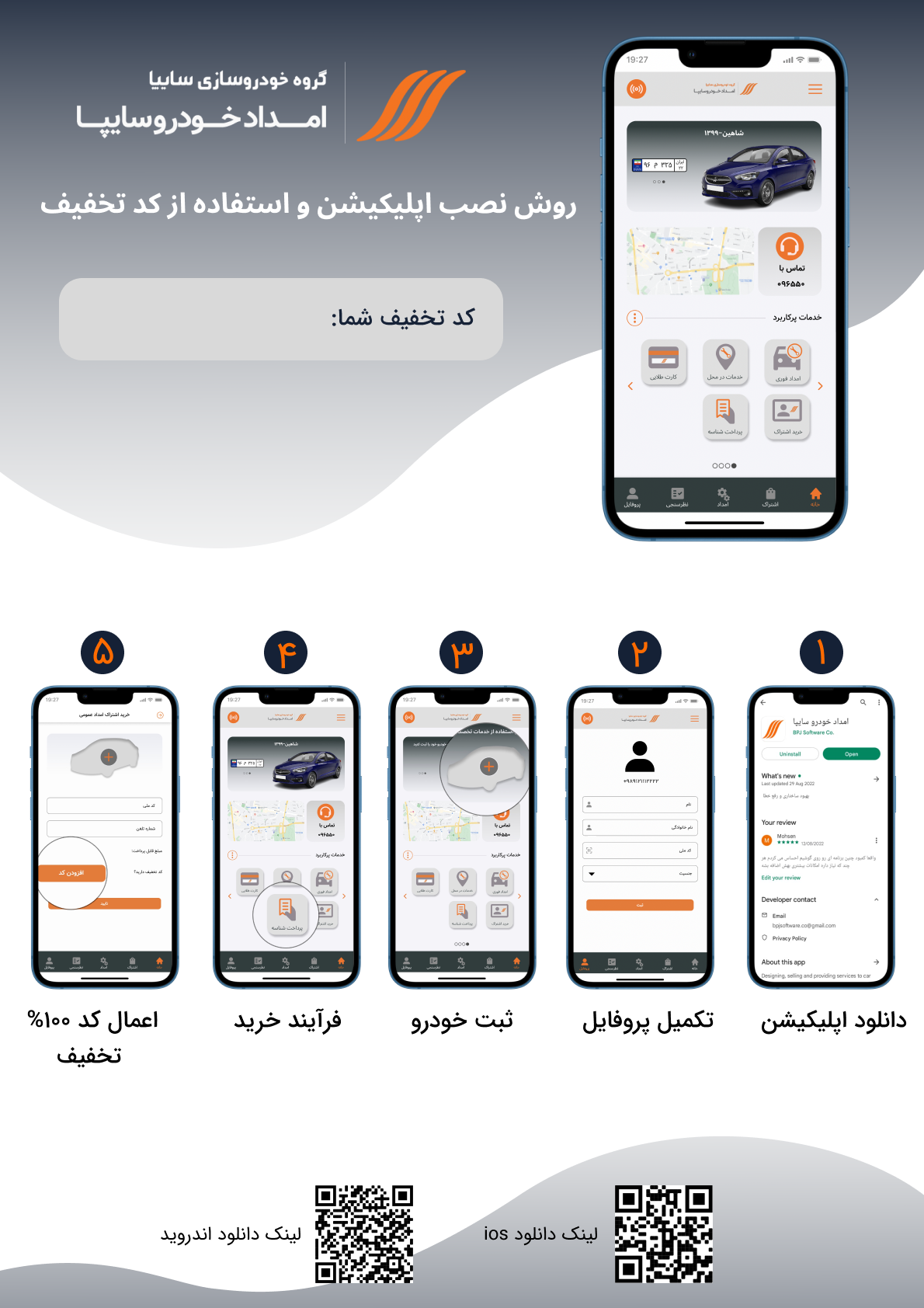
App installation and onboarding guide.
The original Persian promotional material is preserved here as release evidence, including its original QR codes.
Designing both the customer and provider experiences made Saipa a service-design problem as much as an interface-design one.